|
Data Privilege System Maintenance, Wednesday 4/1/26
|
|
The Data Privilege system (https://datapriv.ccsu.edu) will be unavailable all day on Wednesday 4/1/26 while maintenance is performed. During this time, you will not be able to log in to grant permission/membership access or complete Entitlement Reviews. We expect the system will be available by 8am on Thursday, 4/2/26.
|
| |
|
|
|
|
CSCU Required Cybersecurity Awareness Training
|
|
The CSCU System Office recently sent an email with your assigned annual Cybersecurity Awareness training. This training is required for all university employees, including university assistants and student workers. The training is due 2 weeks from the date you received the email, and you will continue to receive reminder emails until it is done.
Issues related to the training should be directed to the CSCU Information Security Program Office at CSCU-SecAware@ct.edu.
|
|
|
|
|
|
|
|
|
Sensitivity Labels in Teams and OneDrive
|
|
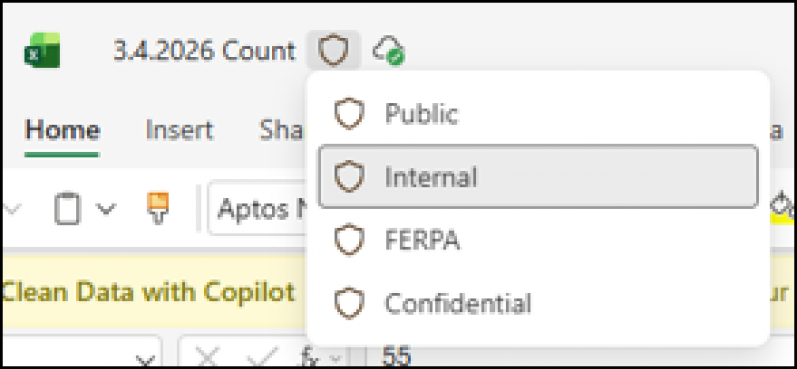
Sensitivity Labels are a built‑in feature that help protect university information by clearly identifying how sensitive a file is and automatically applying the right protections. Starting Monday, March 16, 2026, your Teams and OneDrive files have been assigned one of four labels that correspond with our Data Classifications levels:
- Public = DCL0
- Internal = DCL1
- FERPA = DCL2
- Confidential = DCL3
Labeling will be applied to Microsoft Office and PDF files only. Assigning a label to a file does not change the file itself. The only current restriction is that files labeled “Confidential” cannot be shared outside the university. However, if a file is incorrectly labeled as Confidential, you can simply change the label by clicking the Sensitivity Label icon (the shield) next to the file name:
|
|
|
|
|
|
|
IT Service Request and Self-Help Portal Upgrade
|
|
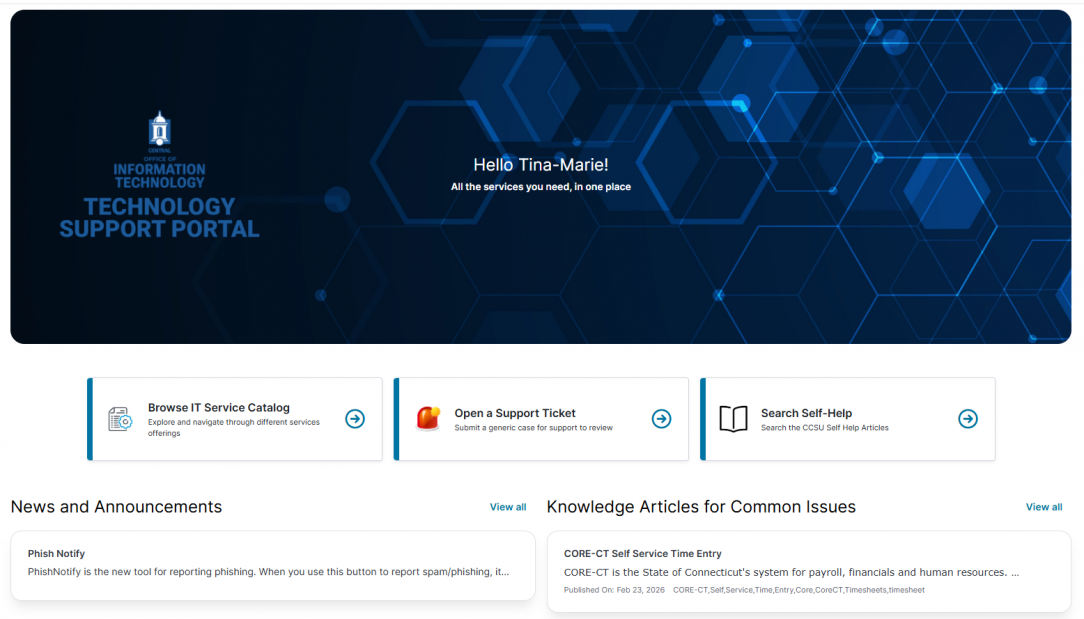
On Friday, March 20th, we launched a modernized IT Service Request experience designed to make getting help easier and faster. The new interface brings Service Requests, Self‑Help resources, and IT Announcements together in one convenient place. You’ll be able to find answers, submit requests, and stay informed without jumping between systems. We’re excited to share this improvement and hope it makes your interactions with IT simpler and more efficient. For detailed instructions, click here.
|
|
|
|
|
|
|
|
|
Upgrade to Apple macOS Sequoia
|
|
All faculty and staff Mac computers must be upgraded to Apple macOS Sequoia. This is especially important for Mac computers running macOS Ventura (13.x), as there are security vulnerabilities impacting this operating system version.
To ensure continued security and compliance with CCSU IT policies, please submit an Apple macOS Upgrade Request to upgrade to macOS Sequoia (15.x) as soon as possible.
|
| |
|
|
|
|
|
|
Windows 11 Upgrade Reminder
|
|
As of October 2025, Microsoft has officially ended support for Windows 10, meaning it no longer receives standard security updates, patches, or technical support.
To ensure continued security and compliance with CCSU IT policies, all faculty and staff using Windows 10 devices must submit a Windows 11 Upgrade Request to upgrade to Windows 11.
|
| |
|
|
|
|
|
|
Verify Your Emergency Notification Information
|
|
The University uses the Everbridge notification system to communicate campus emergencies. All faculty and staff are automatically enrolled in the Central Emergency Notification System (ENS). To review your contact information and to add additional contacts, please log in to the Everbridge Member Portal using your Central Microsoft 365 email address and password..
|
| |
|
|
|
|
Scheduled System Maintenance
|
|
|
|
|
|
|
Every Thursday at 11:59 PM, mandatory updates are sent to all CCSU-owned Windows and Mac computers. To ensure these updates install properly, please save your work and sign out before ending your day. Leave your computer powered on, plugged in, and connected to the internet, whether you're on or off campus. If updates aren’t applied overnight, your computer may be temporarily unusable the next time you log in, and interrupting the update process could lead to system issues requiring repair.
|
|
|
Sunday System Maintenance
|
Every Sunday from 12am-12pm all systems (e-mail, Central Pipeline, wireless, etc.), will be intermittently unavailable while important maintenance and updates are performed.
|
|
|
|
|
|
|